


AirLink - ControlHUB
AirLink - ControlHUB
🔥 Trending Now - High Demand
💪 Control Thousands of Devices
📺 tvs • 🛴 Scooters • 🎥 Projectors
Couldn't load pickup availability
-
Ordered
- - -
Order Ready
- - -
Delivered

AirLink - ControlHUB
-

“Works flawlessly with all my devices — setup took seconds.”
-

Very convenient and reliable, exactly what I needed.
-

Excellent compatibility and smooth performance.


Don’t Blink Watch Closely


Powerful Features, Simple Control
Everything you need to control your devices effortlessly—all in one compact accessory.
-

Universal IR Control
Control multiple devices from your smartphone.

How AirLink™ Works
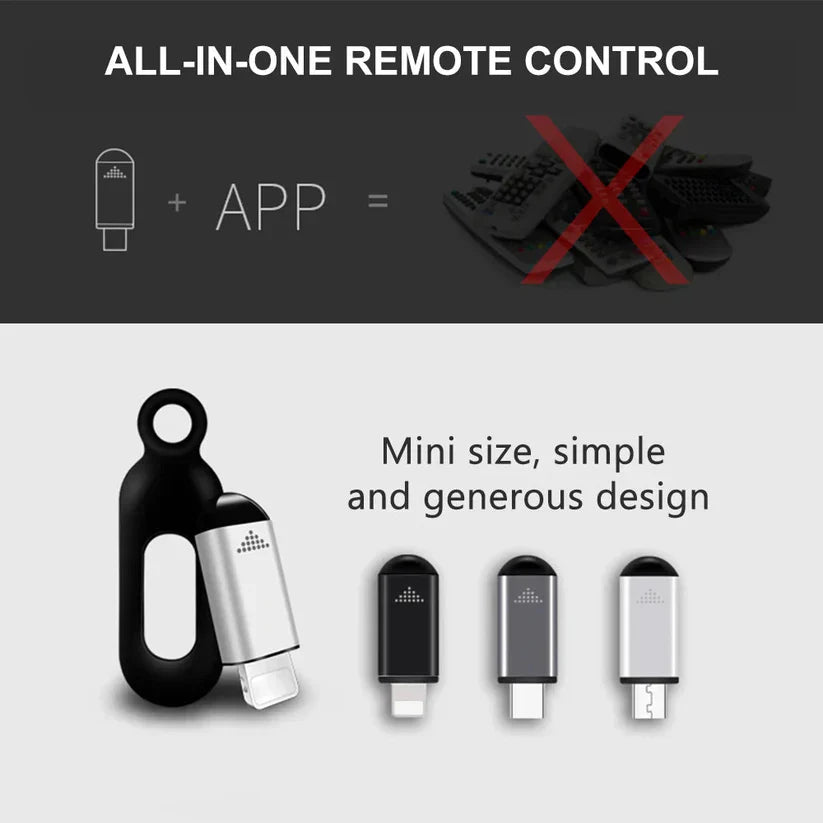
🔌 Connect AirLink™
🔌 Connect AirLink™
Simply plug AirLink™ into your smartphone's charging port. Its compact design makes setup fast and hassle-free, so you're ready to get started in seconds—no batteries or additional hardware required.
📲 Scan & Set Up
📲 Scan & Set Up
Inside the AirLink™ package, you'll find a QR code printed on the user manual. Scan the QR code to download the official AirLink™ app, then follow the simple on-screen instructions to connect and start using your AirLink™.
🎮 Control with Ease
🎮 Control with Ease
Once connected, use AirLink™ to control a wide range of compatible devices, including TVs, air conditioners, projectors, fans, set-top boxes, and supported scooters—all directly from your smartphone.
Airlink vs Flipper Zero
Compare it with Flipper zero and see why ControlHUB™ is the smarter choice for daily use , Pranks , and Convenience.

|

|
|
|---|---|---|
| Cheaper | ||
| Easy To Use | ||
| All In App | ||
| Powered By Mobile | ||
| Portable |
Trusted by Daily Users
Frequently Asked Questions
Does AirLink™ really work?
Does AirLink™ really work?
Yes. AirLink™ is designed to work with a wide range of compatible devices. Simply connect AirLink™, install the official AirLink™ app, and you'll be ready to control supported devices in just a few simple steps.
Does AirLink™ require charging?
Does AirLink™ require charging?
No. AirLink™ is powered directly through your smartphone, so there's no need for batteries or separate charging.
What's included in the box?
What's included in the box?
Every AirLink™ package includes:
- AirLink™ Device
- User Manual
- QR Code for the Official AirLink™ App
Is AirLink™ safe to use?
Is AirLink™ safe to use?
Yes. AirLink™ is designed for safe everyday use with compatible smartphones. Simply use the official AirLink™ app included with your product and avoid installing unofficial apps.